
"Automated Campaigns" and "Journeys" refer to the same thing within Force24 - an automated sequence usually containing several email sends and/or SMS alongside automated filters, triggers and scheduling throughout. This is most often referred to in Force24 support as a Journey, but Automated Campaign can also be used to reference the same thing.
You will notice however, that there are two separate platform areas with these unique titles:
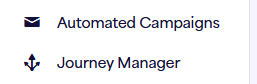
The main difference here is that the Journey Manager section is for building the journeys themselves and stopping/starting them, whereas the Automated Campaigns section is a reporting tool to be used after the journey has begun.
Journey Manager
If we think of the process from beginning to end of building a journey, launching it and then reporting on it, the Journey Manager section is where you will need to start. This is where you can build out the logic of your journey/automated campaign either from scratch, by duplicating a previous journey or using one of our journey templates.
This is also where you would start/stop the journeys and access the journey report, where you can review the email/SMS stats across the whole journey and keep track of the journey's progress using the journey stages report.
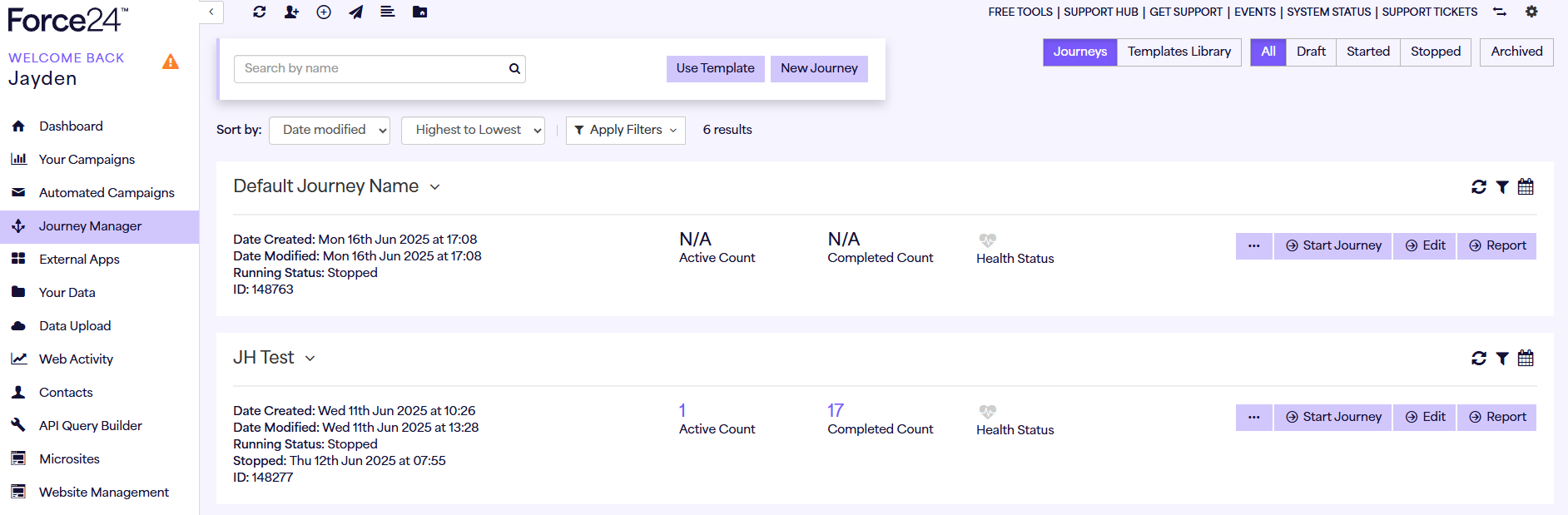
Here's some helpful articles with more info on building journeys and using the Journey Manager area:
How to Build a Journey : Force24 Support
How do I use journey templates ? : Force24 Support
How To Understand Your Journey Stages Reporting : Force24 Support
Automated Campaigns
Once you have built out your journey and launched it, the Automated Campaigns section is where you can see the email/SMS reporting for your journey broken down stage-by-stage as shown below. As opposed to the Journey Manager reports where you can only see the stats for the journey overall, the Automated Campaigns report will show each individual journey stage with top level stats for queued, sent, opens, clicks and bounces/unsubscribes, with the option of clicking "View Report" on the right hand side for more detail.
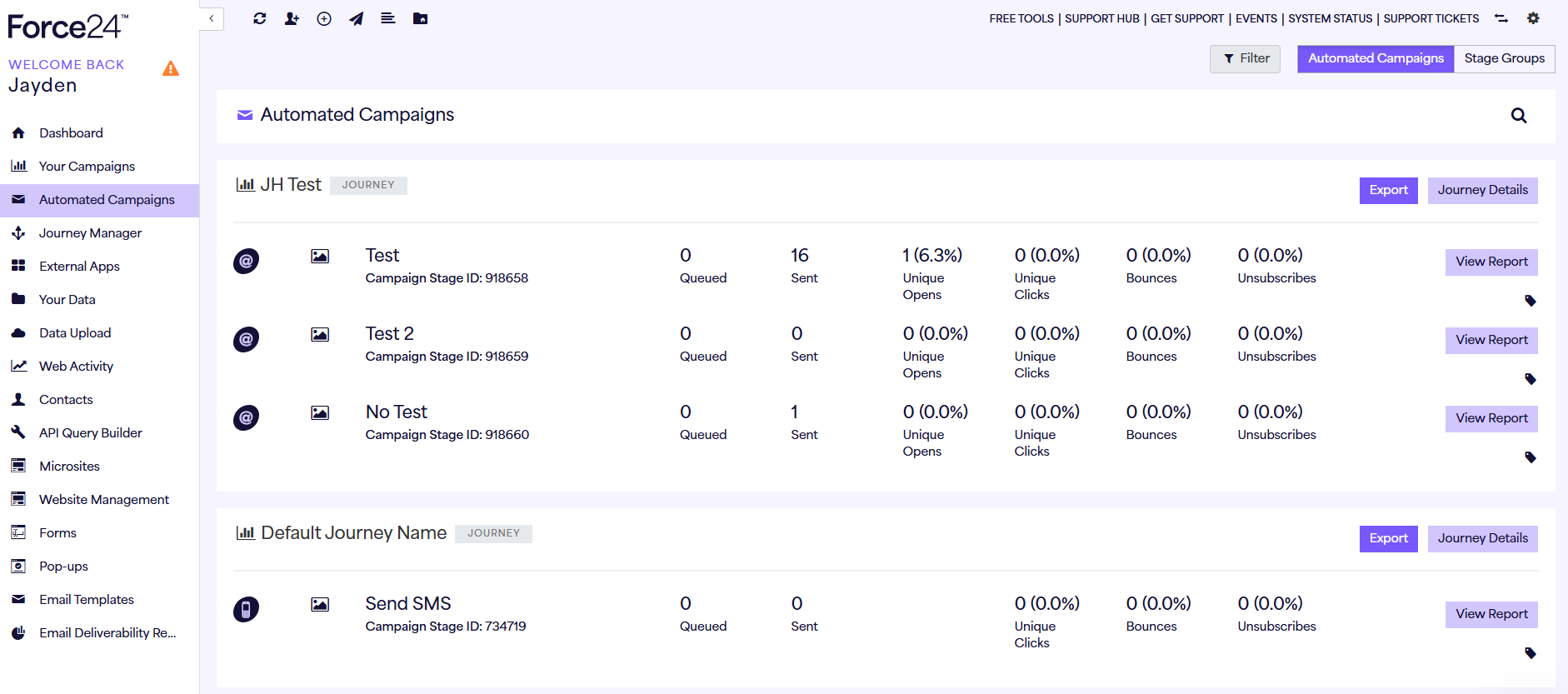
For more information on Automated Campaign reporting, please find a useful article linked below:
Automated Campaigns Reporting : Force24 Support