
When building journeys in Force24, you will need to make sure these are showing as "valid" in the platform before they can be started and set live. If a journey is not valid at any stage it will show any Validation Errors at the bottom of the right hand panel (under where the journey components list shows). These will need to rectified before the journey can be started, so in this article we will help you to understand what the various errors mean and how to resolve them.
Validation errors will show throughout the journey building process, but you only need to pay attention to these errors if you believe the journey is complete and ready to send.
When you create a brand new journey from scratch there will be some initial validation errors that show straight away, before any components have been added - we will now explain what all of the possible errors mean, starting from here.
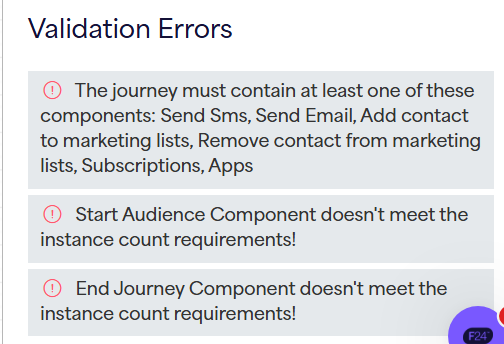
"The journey must contain at least one of these components: Send Sms, Send Email, Add contact to marketing lists, Remove contact from marketing lists, Subscriptions, Apps"
This error is fairly self-explanatory - your journey needs to have at least one of the following components for it to be valid: Send SMS, Send Email, Action (Add/Remove contact from marketing lists), Subscriptions, Apps
"Start Audience/End Journey Component doesn't meet the instance count requirements!"
Similar to the error above, this is saying that your journey must contain both a Start Audience component and at least one End Journey component.
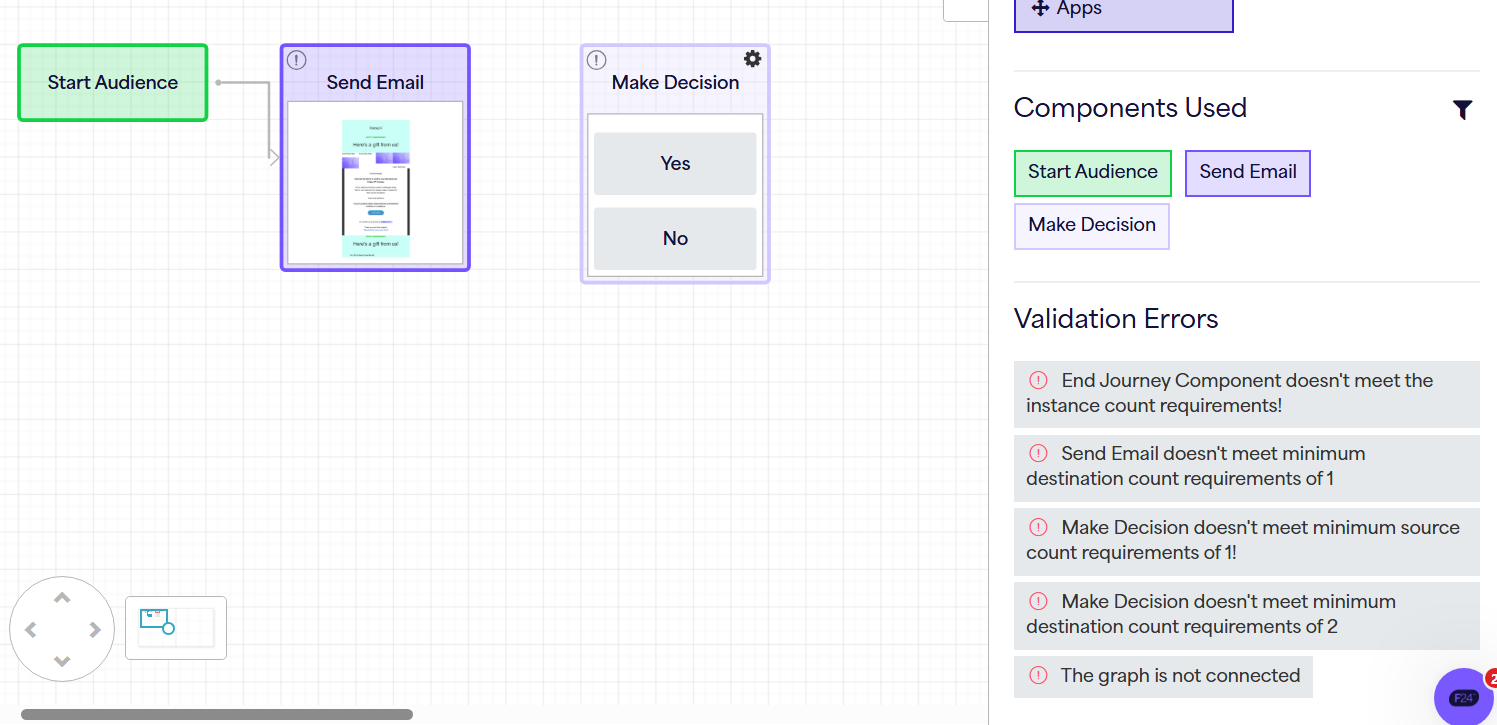
Send Email doesn't meet minimum destination count requirements of 1
This means that the Send Email component is not connected to another component for the contact to progress onto after the email has been sent. This error will appear for any mid-journey components that don't have an arrow connecting them to the next stage in the journey - in the example above we would resolve this by linking the Send Email to the Make Decision after it.
Make Decision doesn't meet minimum destination count requirements of 2
This is essentially the same as the previous error, but for Make Decision components there are two routes that need connecting to the next stages of the journey - one from the Yes and one from the No.
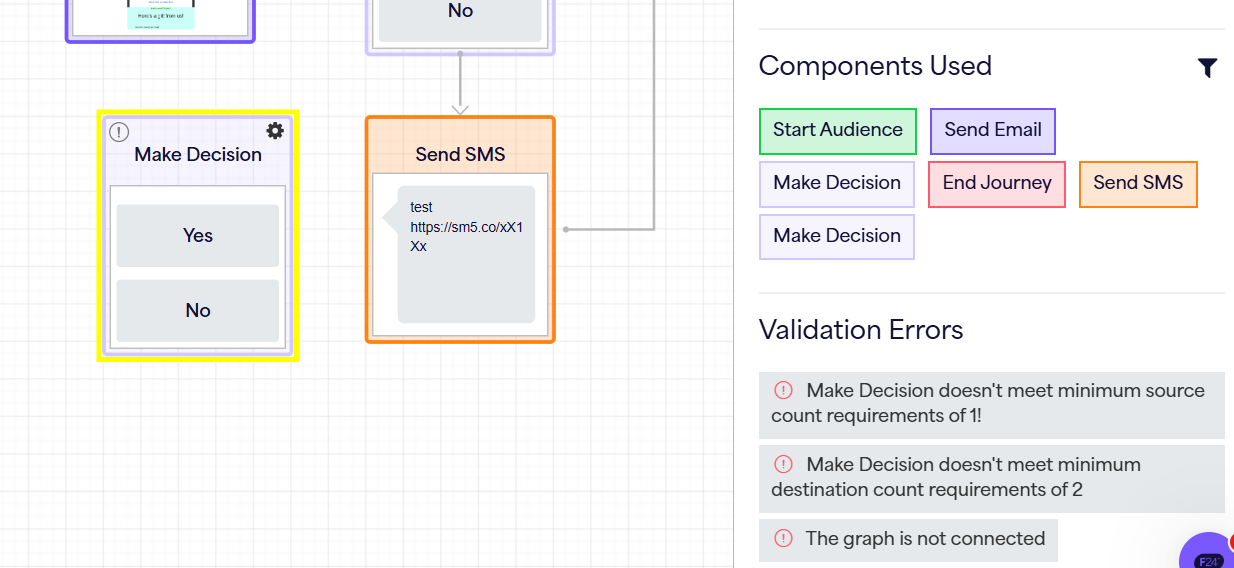
Make Decision doesn't meet minimum source count requirements of 1!
This means that the Make Decision component doesn't have a source i.e. there is no route leading into the decision stage in the journey. This would be resolved in the same way as the error types above, by simply making sure the components are connected, following the desired path and logic of your journey.
The graph is not connected
The last 3 validation errors are all more specific versions of this generic error, which will show alongside them. Essentially your journey is not fully linked up/connected at this stage, so you need to ensure all components are connected one way or another and all pathways through the journey are resolved.
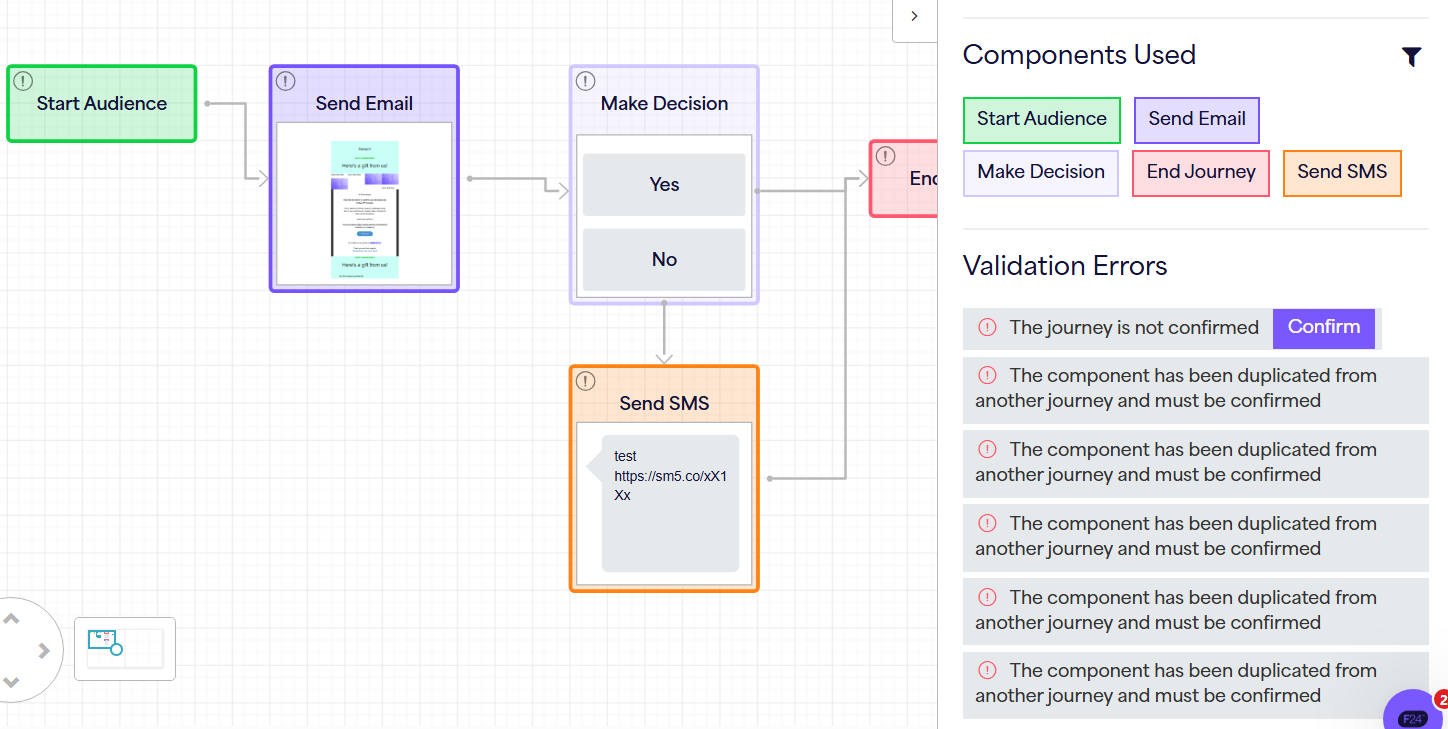
The journey is not confirmed / The component has been duplicated from another journey and must be confirmed
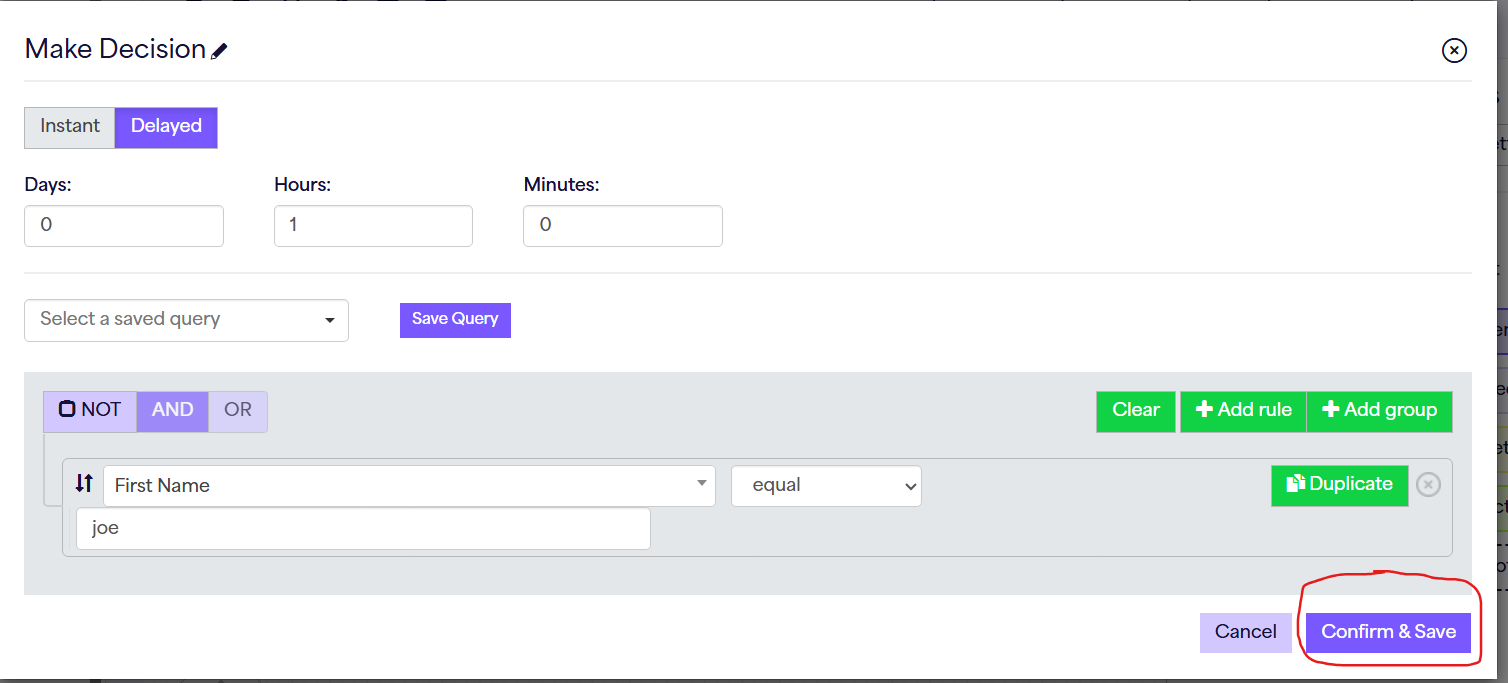
You will see these validation errors if you have duplicated from another journey. The system will prompt you to check and confirm each component in this case, to make sure they have been changed where necessary from the original journey settings. You can resolve this by either simply hitting "Confirm" next to the top validation error (shown above), or by going through each component and clicking "Confirm & Save":
Top Tip: If you're ever unsure which component a validation error is referring to you can click on the error message and it will centre and highlight the problem component, as shown below.
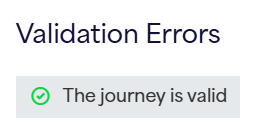
Once you have analysed and resolved any validation errors in your journey, we should see the lovely message below, and your journey will be ready to start!
Aside from the validation errors, you may want to double check other factors before starting your journey - take a look through the article below to make sure your journey is ready to go from a logical standpoint as well:
Journey Checklist: Make sure your journey is ready to go! : Force24 Support
And as always, if you have any questions or need help checking your journey logic, please don't hesitate to reach out to the team on our live chat!